
Bulin 47 AI Video Generator
A failed render costs you nothing.

Add a photo, pick a length, then press Generate.
The Bulin 47 video in three numbers
What it takes and what comes back, before you upload anything.
Photo needed
1
A single picture of one person is the whole input. No prompt, no footage to find, no editing.
Render time
5–10 min
Most videos finish in about 5 to 10 minutes, then the MP4 is yours to download.
Lengths to pick
3
5 seconds of the opening, 15 seconds from Bulin 47's turn toward the lens, or the full 30 seconds.
What is Bulin 47 AI Video?
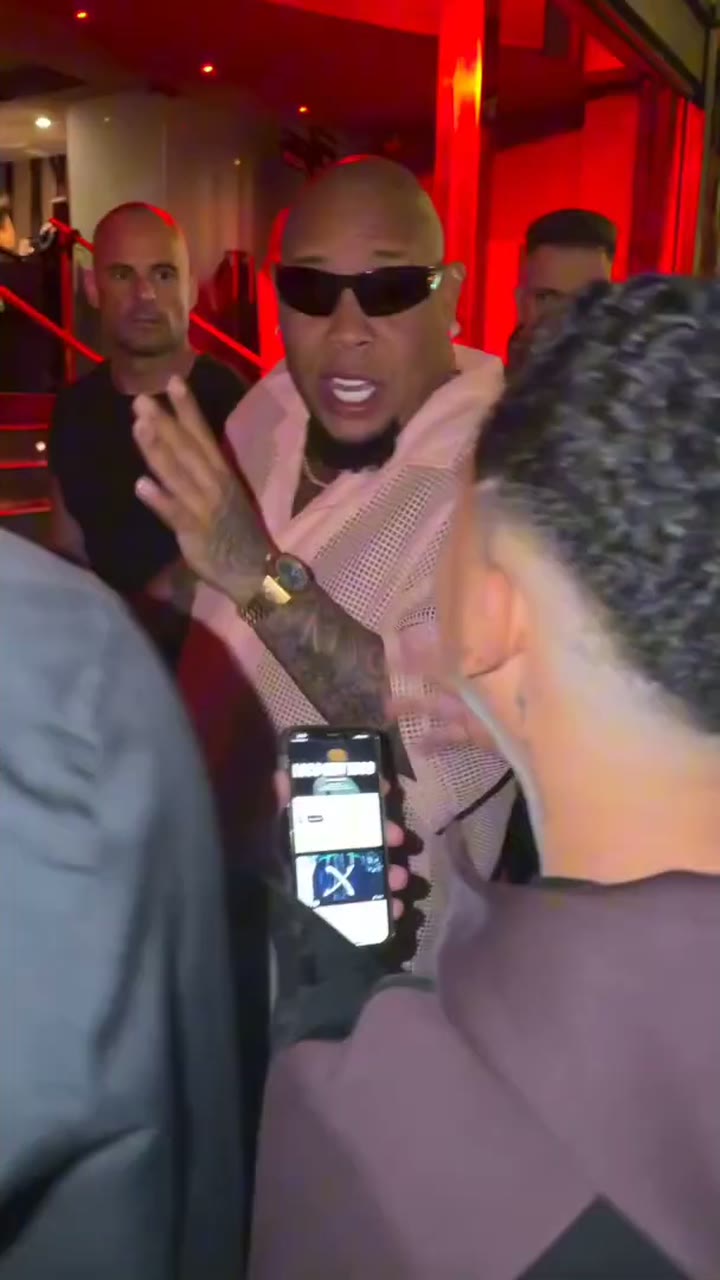
A Bulin 47 AI video is the street freestyle the whole internet knows, except you are the one rapping. The original was filmed on the night of 2 October 2026 in front of a Madrid restaurant: Kevin Wai, a content creator, showed up with a portable Bluetooth speaker and his phone, and the Dominican dembow artist Bulin 47 improvised a verse right there in the red glow of the doorway. Within days it had tens of millions of views (the full story is on the Bulin 47 viral video page), and around 6 October the AI remixes started. Bulin 47 AI Video already holds the clip and its sound, so the only thing you add is a photo.
- The rapper becomes youOnly the rapper is replaced, by the person in your photo, right down to hands and wrists. Every head turn, gesture and mouth movement keeps the timing of Bulin 47's original take.
- Everything else stays putKevin Wai, his speaker, the people around him, the red door light and the shaky camera all move as before, over the original audio. It is the same scene behind the whole Bulin 47 AI trend.
- Bulin 47 AI without the setupNothing to describe in words, no source footage to download, nothing to cut. Choose a picture and a length, then hit Generate.
Six photos, six new rappers
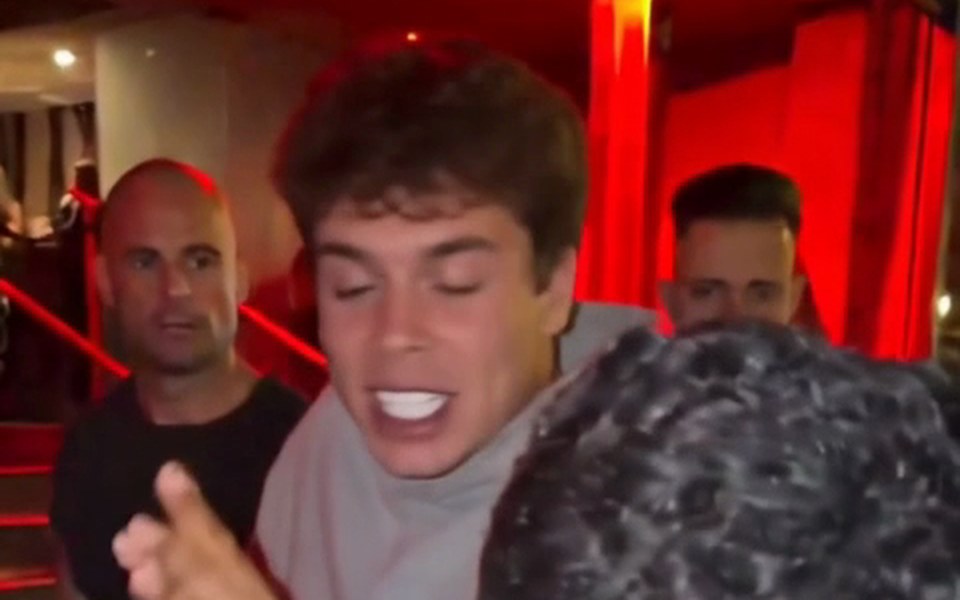
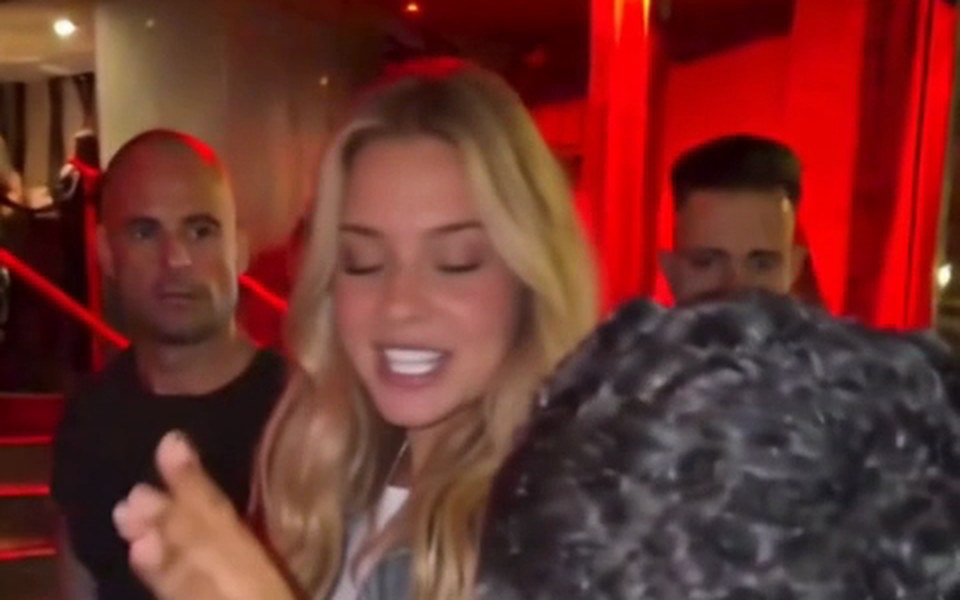
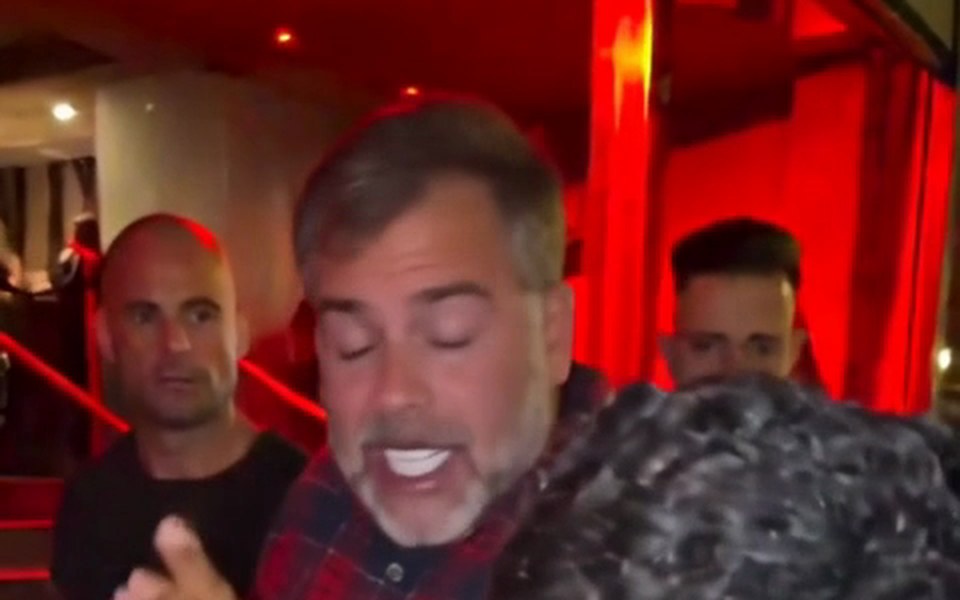
Six 15-second Standard videos, each from one everyday photo. Turn the sound up: Kevin Wai (seen from behind with his speaker) and the crowd are identical in all of them.
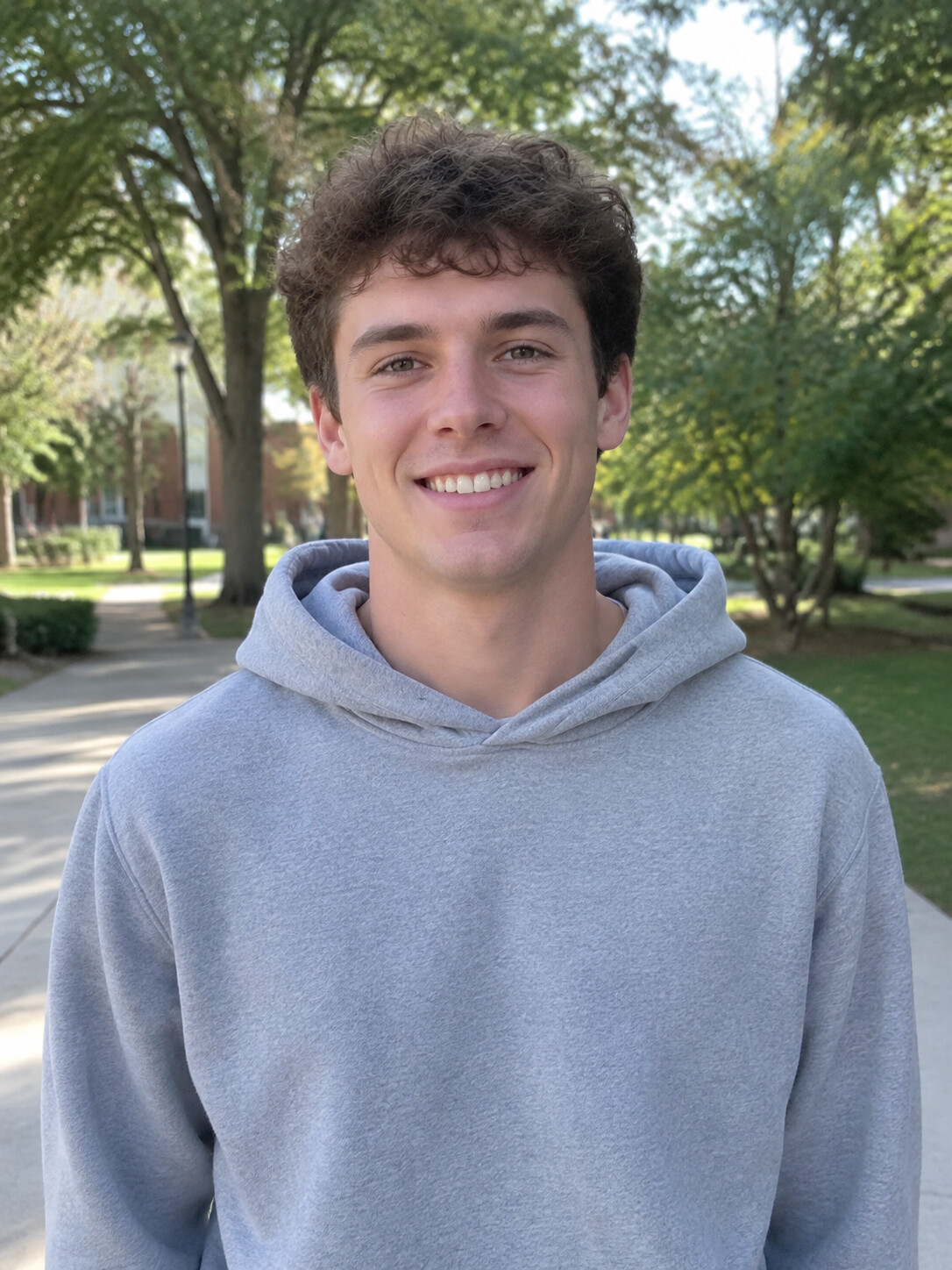
Gray hoodie, curly hair
A curly-haired guy in a gray hoodie takes over the verse.
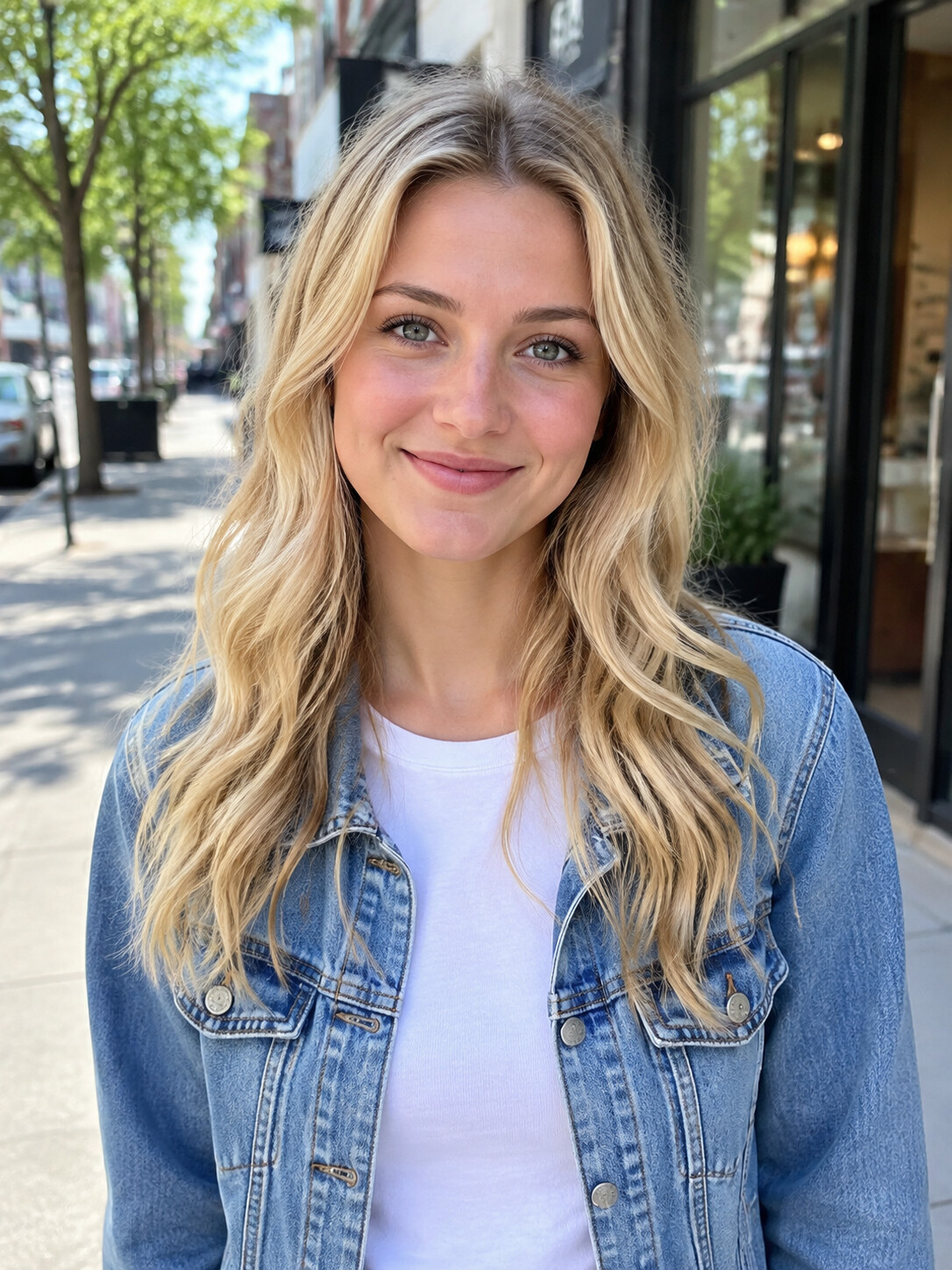
Denim jacket, blonde waves
Wavy blonde hair and denim, aimed at Kevin's phone.

Flannel dad
Fifties, salt-and-pepper hair, gray beard, red-and-navy flannel.
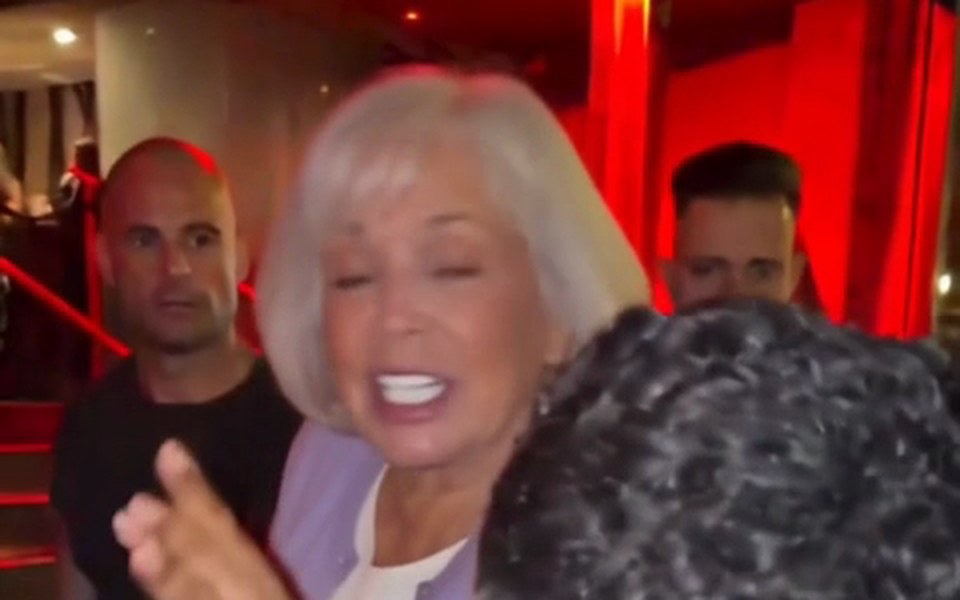
Grandma on the beat
Around seventy, white bob, lavender cardigan, from a half-body photo.

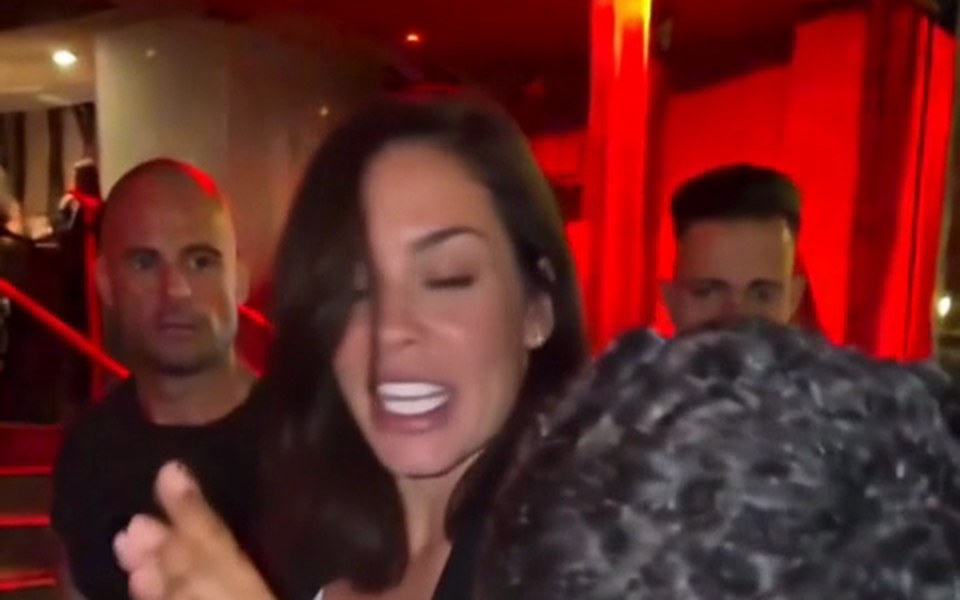
Black blazer
Thirties, dark hair to the shoulders, same crowd behind her.
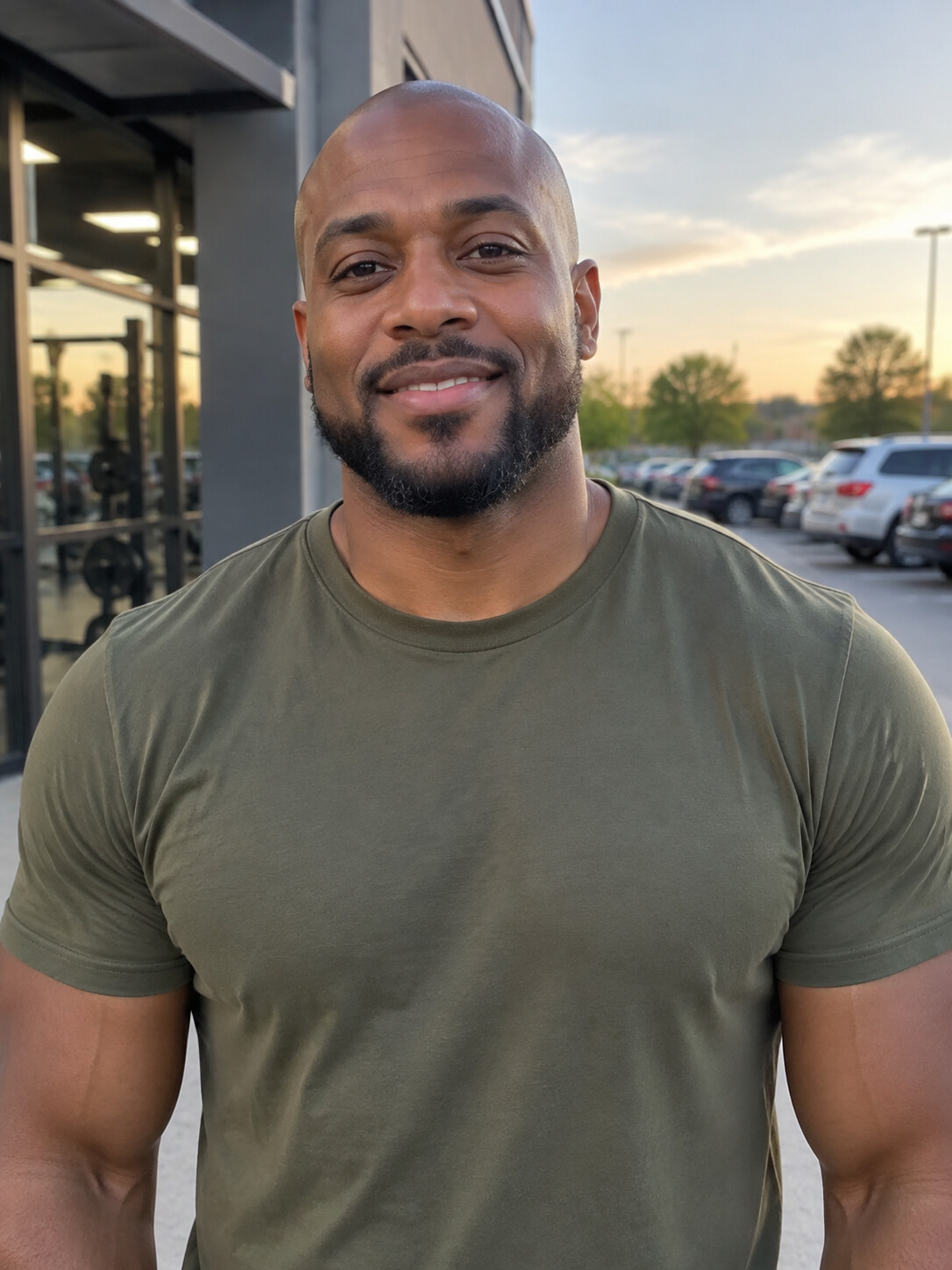
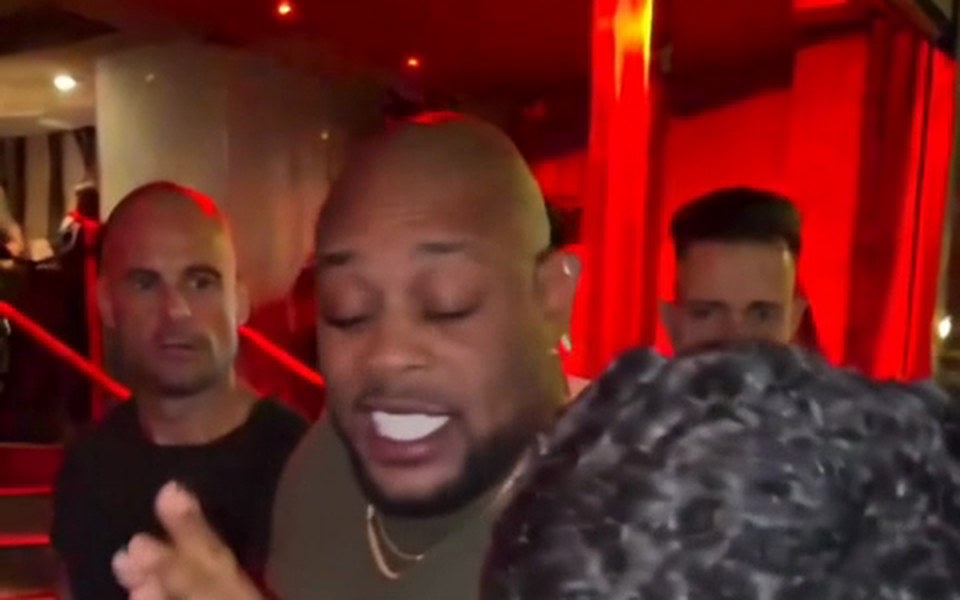
Olive tee, short beard
Bald with a trimmed beard and an olive-green tee.
Inside a 15-second Bulin 47 AI video
Six frames from a finished sample, in order. Each beat matches the original take; only the rapper is different.
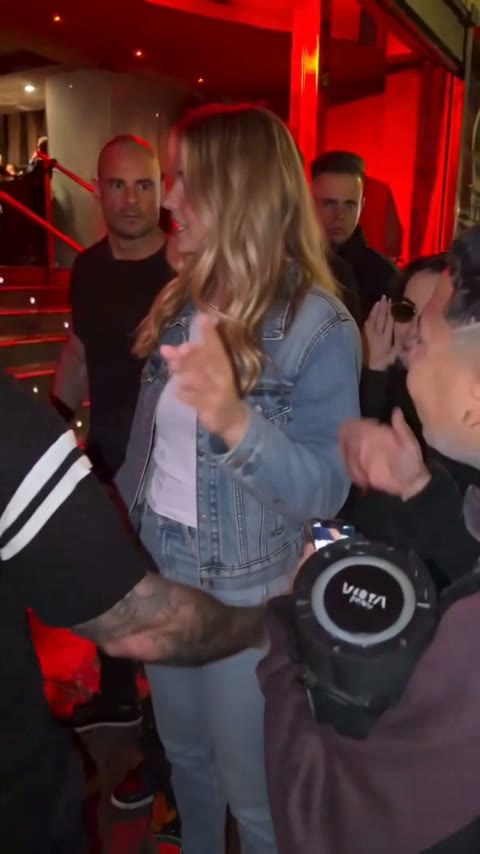
0–2 s
Squaring up
Kevin Wai lifts the speaker and his phone; you face him and start.
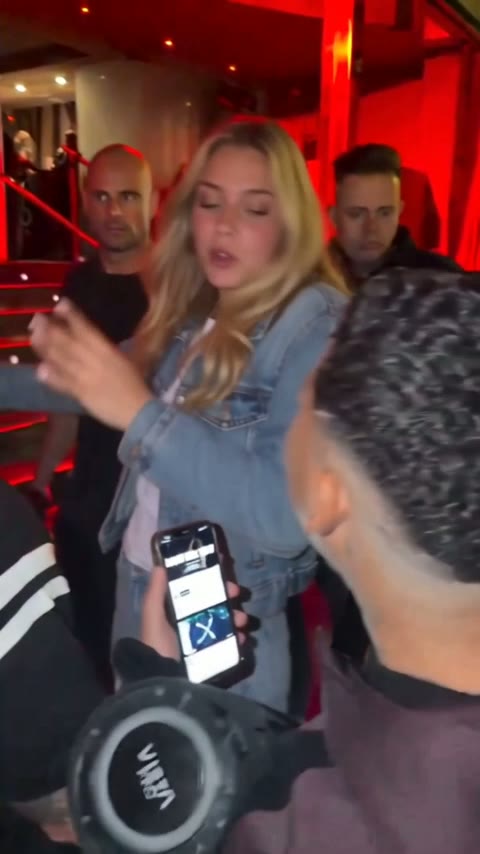
2–5 s
Straight at the screen
Leaning forward, both hands busy, rapping into Kevin's screen.
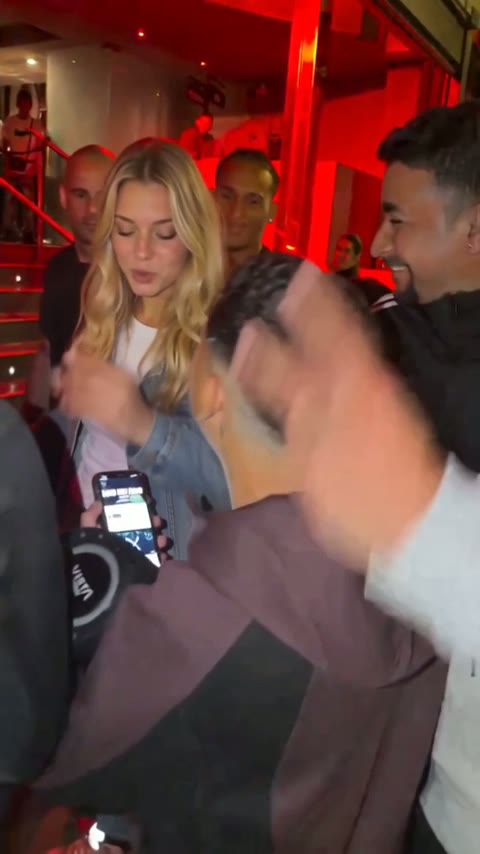
5–8 s
The doorway fills up
People push closer and a hand pops into frame.
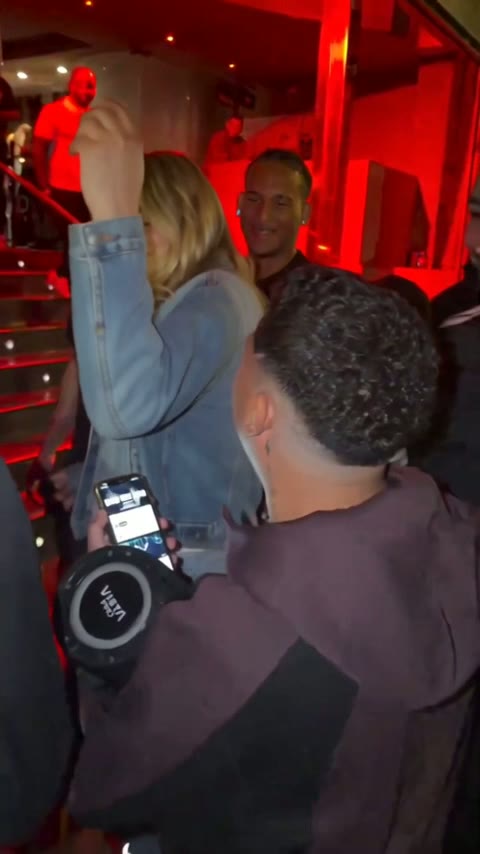
8–10.5 s
Hand to the head
A hand rises to the head: the most screenshotted moment.
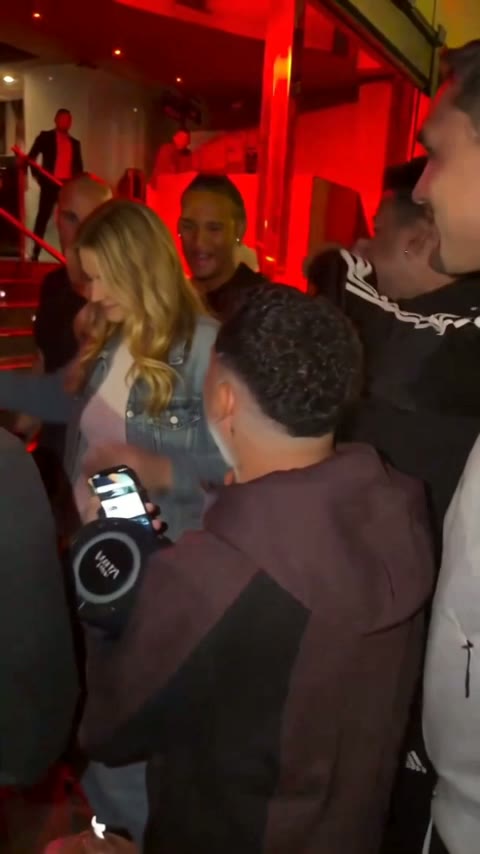
10.5–12.5 s
Laughing to the side
A quick turn and a laugh with the man alongside.
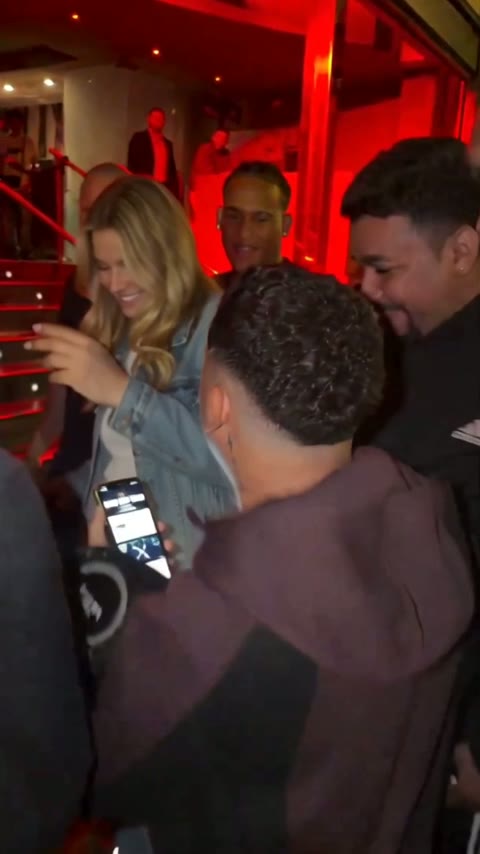
12.5–15 s
Into the lens again
Facing Kevin's phone again as the 15-second cut closes; the full version runs to about 30 seconds.
Why make your Bulin 47 AI video here
Most AI video tools begin with an empty canvas. This one begins with the finished scene, which is why one photo is enough. Need ideas for who to cast? Browse the Bulin 47 meme page.
The whole person, not a pasted face
Your photo shapes the entire rapper: face, hair, skin tone, outfit, even hands and wrists. Head turns and gestures land on the same beats as in the original.
The sound people recognise
All three lengths keep the audio of the original freestyle, so your clip sounds like the one people already know by heart. No track to find, nothing to sync.
Pay only for videos that work
Each video costs credits, yet a render that fails or is filtered costs nothing: the credits return to your balance. Plans count Standard videos (15 seconds at 480p, 100 credits each).
How to make a Bulin 47 AI video in three steps
Around 5 to 10 minutes from upload to download, on any phone or computer browser. The longer walkthrough is here: how to make a Bulin 47 AI video.
1. Add one photo
Choose a picture of one person, face clearly shown and well lit. Waist up with both hands visible is best, since the AI copies hands too.
2. Set length and quality
Select 5, 15 or 30 seconds, then Standard (480p) for phones or HD (720p) for large screens. The 5-second clip is Standard only.
3. Download and share
Once it is done, save the vertical MP4 and post it to TikTok, Reels or Shorts.
Photo tips
The best photo for your Bulin 47 AI video
The photo decides most of the result. One clear person, even light and visible hands give the AI the most to work with.
Works best

Half body, hands visible
The AI copies hands and wrists too, so it needs to see them.
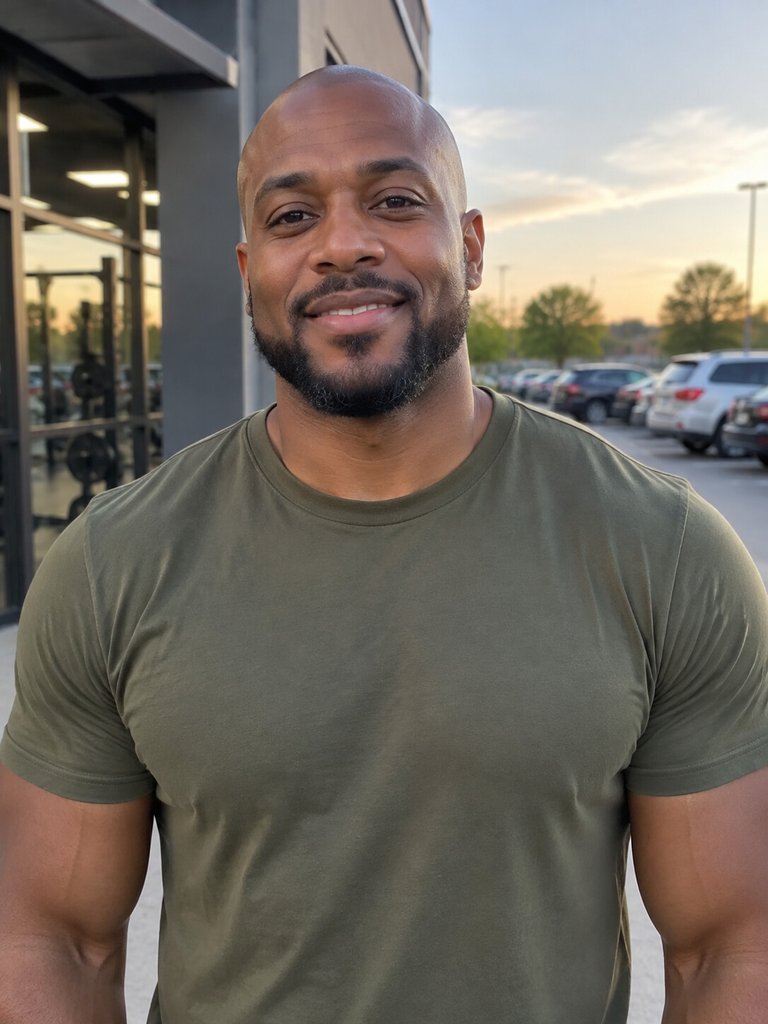
Clear, even light
A face lit from the front keeps skin tone and features accurate in every frame.
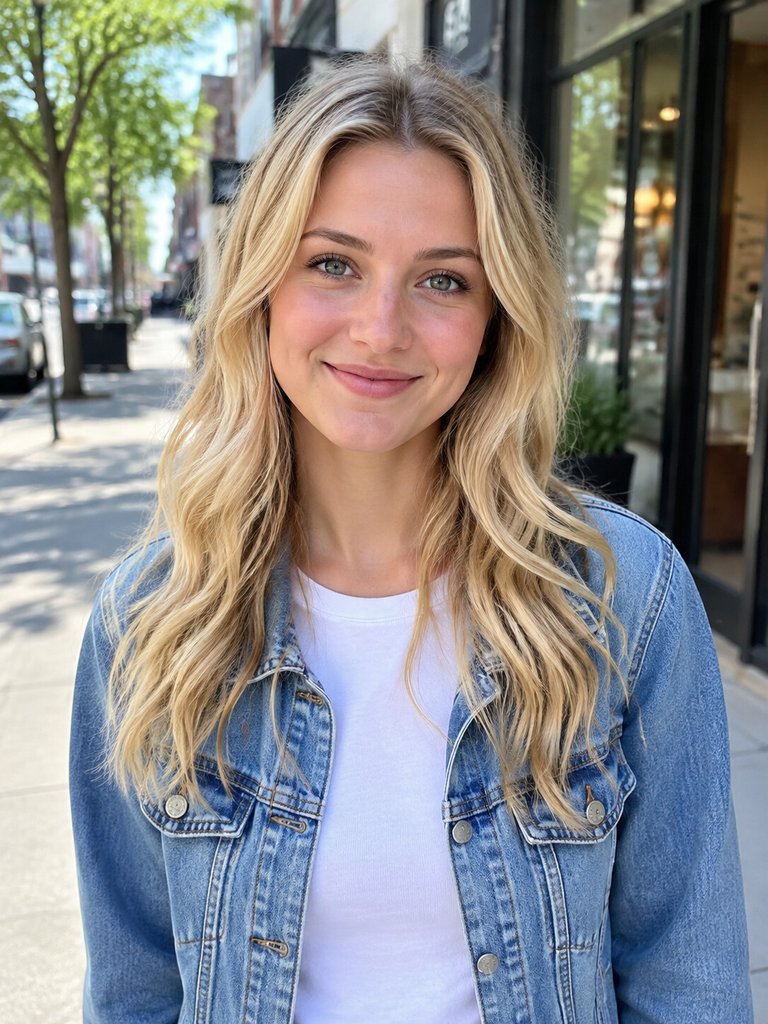
One person, eyes on camera
A single subject leaves no doubt about who takes the rapper's place.
Avoid
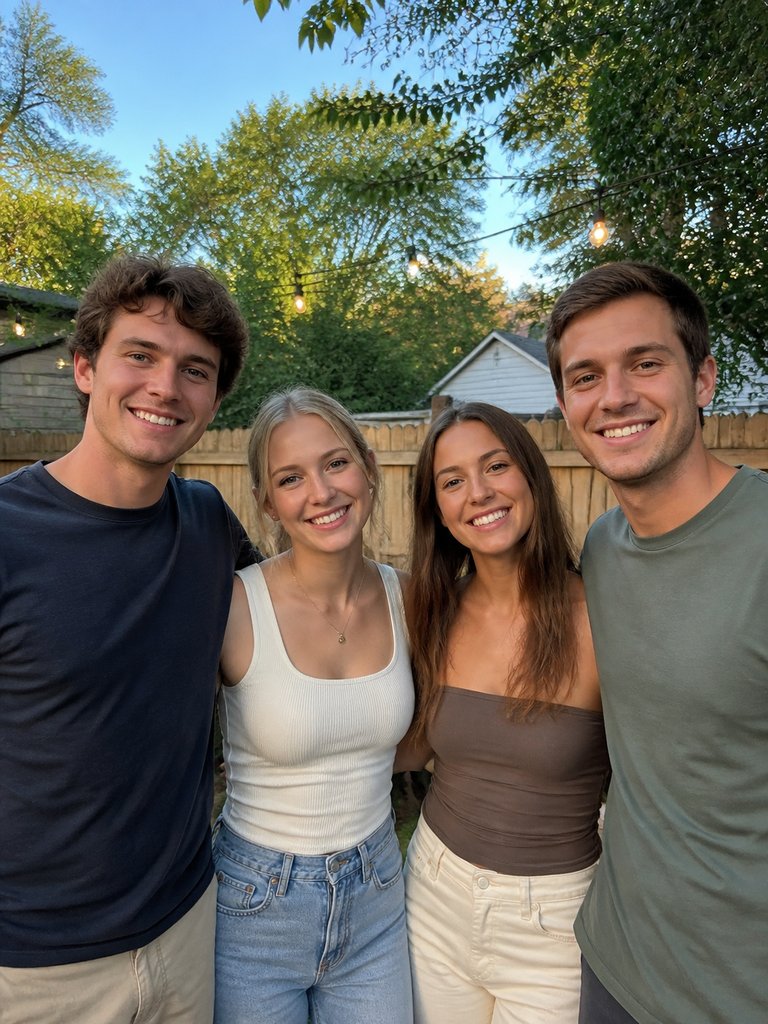
Group photos
With four faces in the shot, the AI cannot tell which person you mean.
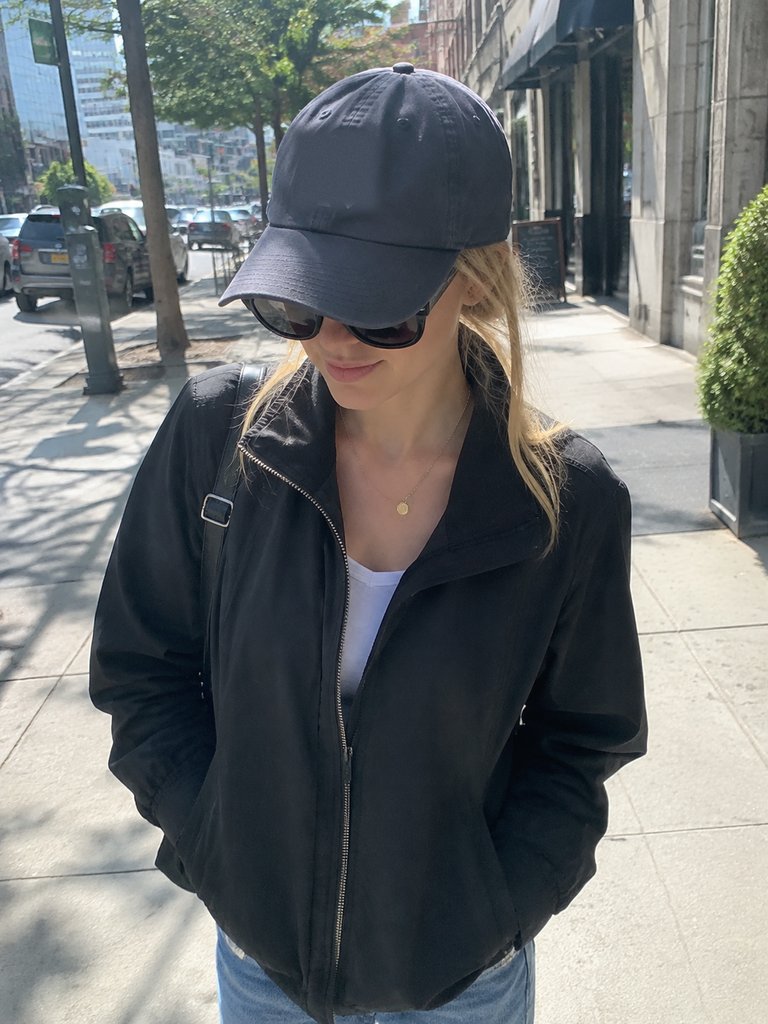
Sunglasses and caps
Dark lenses and a shading cap hide the eyes, so the face comes out vague.
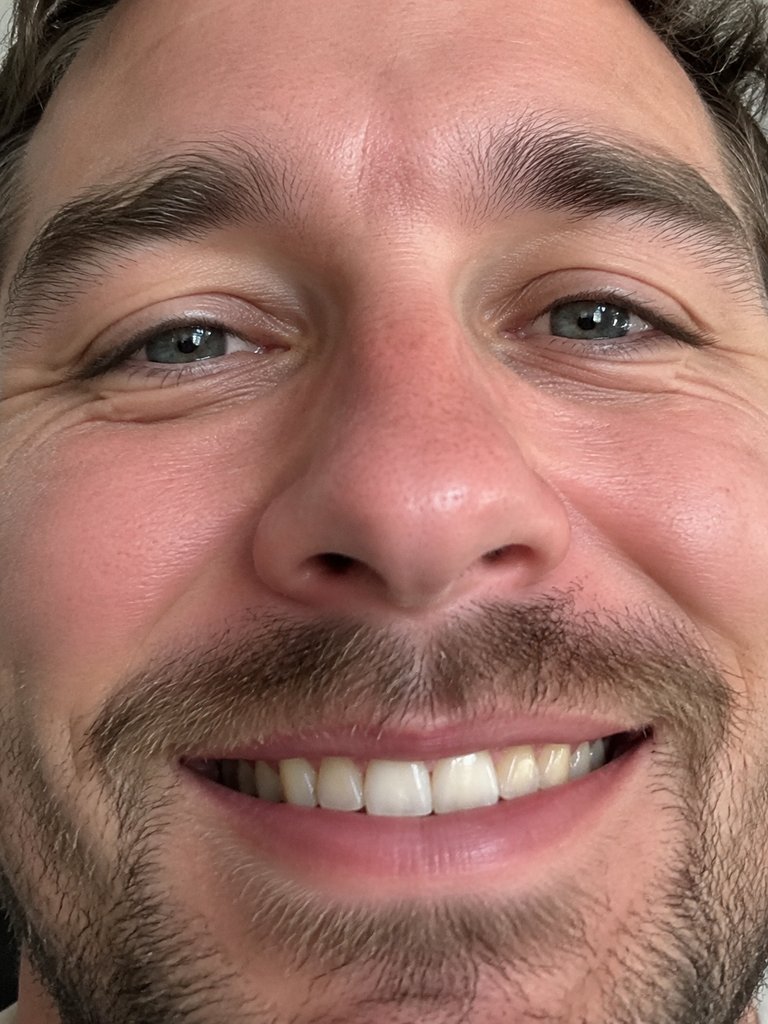
Face-only close-ups
With no shoulders or hands in view, the body and gestures have to be guessed.
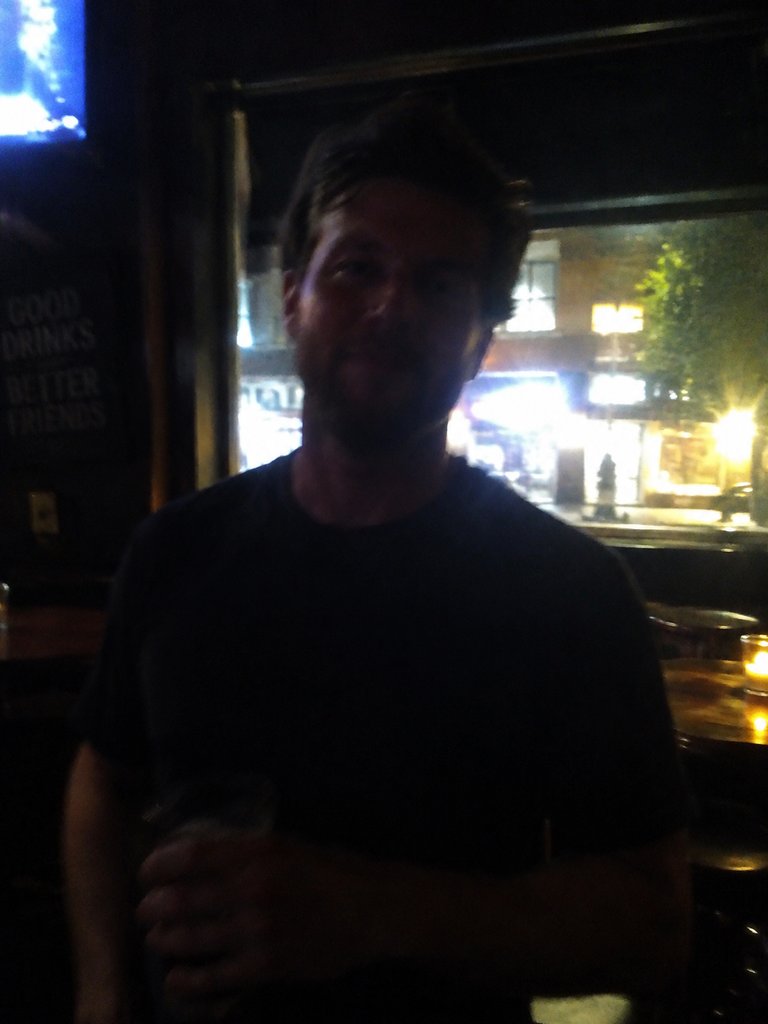
Dark or blurry shots
Dim, backlit or blurred pictures hide the details that make the result look like you.
What every Bulin 47 AI video includes
The clip, the camera moves and the audio are set up ahead of time, much like a Bulin 47 template with one empty slot for your photo.
Three lengths
5 seconds of the opening, 15 seconds starting where Bulin 47 faces the lens, or the full 30-second cut covering nearly all of the freestyle.
Standard or HD
Standard (480p) suits phones; HD (720p) is crisper on large screens and is offered for 15 and 30 seconds.
A Bulin 47 video in 9:16
A vertical MP4 sized for TikTok, Instagram Reels and YouTube Shorts, no cropping needed.
Look before you pay
There is no free trial, but the samples and frames above show what you get. More on the Bulin 47 AI free page.
Runs in your browser
Nothing to install on iPhone, Android or desktop; your camera roll is both the source and the destination.
People work best
Pets and cartoon characters can work, but a real person looks most convincing. Celebrity and public-figure photos get rejected.
Bulin 47 AI video generator vs other routes
Three ways people make the clip and what each one asks of you. Higgsfield gets a fuller look in the Higgsfield Bulin 47 comparison.
| Bulin 47 AI Videoupload a photo and go | General AI video platformse.g. Kling, Higgsfield, Dreamina | CapCut templatesbuilt by template creators, quality varies | |
|---|---|---|---|
| What you provide | One photo | Reference footage, a photo and a prompt | A photo inside CapCut |
| Original clip and sound preloaded | You supply the clip | ||
| Prompt needed | |||
| Model to pick | |||
| Who replaces Bulin 47 | The whole person, from your photo | Whatever the clip and prompt produce | Often a face overlay or cut-out |
| Lengths | 5, 15 or 30 seconds | Up to you | Fixed by the template |
| How you pay | Monthly or yearly plan, or a credit pack; failed renders cost nothing | Each platform's credit plans | Depends on the template |
More Bulin 47 guides
The clip, the trend, other tools and a step-by-step guide.
Bulin 47 viral video
How a Madrid street freestyle hit tens of millions of views.
Bulin 47 AI trend
When the remixes began and who people swap into the rapper's spot.
How to make it
Photo, length, quality, download, posting.
Bulin 47 meme ideas
Who to cast and why unexpected picks get the biggest laughs.
Higgsfield Bulin 47
General AI platforms next to a one-photo tool.
Bulin 47 AI free
What you can check without paying.
Bulin 47 AI video FAQ
Quick answers about the Bulin 47 AI generator, from photos to payment.
What is a Bulin 47 AI video?
It is the viral Bulin 47 freestyle with a new rapper: the person in your photo. The AI works on the original footage, so Kevin Wai, his speaker, the onlookers, the red doorway and the wobbly camera all stay. Gestures, head turns and lip timing copy the real performance, and you hear the original audio.
Is Bulin AI the same thing as Bulin 47 AI?
Yes. "Bulin AI", "Bulin 47 AI" and "Bulin 47 video" are all names people search for AI versions of the verse Bulin 47 improvised for Kevin Wai in Madrid in October 2026. Whatever the wording, the idea is identical: someone new raps while the scene and audio stay the same.
How do I make a Bulin 47 AI video?
Upload one photo, choose a length and a quality, then press Generate. Roughly 5 to 10 minutes later you can download a vertical MP4 with the original audio, ready for TikTok, Reels or Shorts. It all happens in the browser on a phone or a computer, with nothing to install and no editing to learn.
Which photo should I use?
Pick a sharp, well-lit photo of a single person whose face is fully visible. Waist up with both hands in frame works best, because the AI reproduces hands and wrists as well. Skip group shots, sunglasses, tight face crops and dark or blurry pictures, and only use yourself or a friend who agreed.
Can I use a celebrity's photo?
No. The filter rejects photos of celebrities and other public figures, and you are not charged when that happens. Upload a picture of yourself or of a friend who is happy to appear. Pets and cartoon characters sometimes work, with uneven results, so a real person is always the safest choice.
How long is each video, and in what quality?
Pick 5, 15 or 30 seconds. The 5-second clip shows the opening moment and comes in Standard only; 15 seconds begins when Bulin 47 turns toward the camera, the best-known part; 30 seconds covers nearly the entire freestyle. Standard (480p) is for phones, HD (720p) for bigger screens.
Is there a free Bulin 47 AI video?
No, every video is paid: there is no trial and no starter credit, since each render uses real compute. You can still watch the samples, study the frame-by-frame breakdown and read the photo tips before spending anything, and failed or filtered renders are never charged. Plans and one-time packs are listed under Bulin 47 AI Video pricing.
Is Bulin 47 AI Video official?
No. Bulin 47 AI Video is an independent fan-made tool, not affiliated with Bulin 47, Kevin Wai or their labels. It simply makes joining the meme easy. If you want the artists' own release, search for "Dame Hombro", the song the two of them put out on 8 October, which has a music video on YouTube.
Put yourself in the Bulin 47 freestyle
One photo is all it takes to get your own Bulin 47 AI video, original audio included. A failed render is never charged.